fit_tscan Basic Example
Basic usage example for fit_tscan utility. Yon can find example file from TRXASprefitpack-example fit_tscan subdirectory.
In fit_tscan sub directory you can find
example_1.txt,example_2.txt,example_3.txt,example_4.txtfiles. These examples are generated from rate equation example section 2. branched decay with varying time zero of each scan around -0.15 ps.Type
fit_tscan -hThen it prints help message. You can find detailed description of arguments in the utility section of this document.Type
fit_tscan example --irf g --fwhm_G 0.15 -t0 -0.15 -0.15 -0.15 -0.15 --tau 0.2 500 1000 --no_baseThe first and the only one positional argument is prefix of time delay scan file to read. In this example you set four initial time zero parameter-t0 -0.15 -0.15 -0.15 -0.15, so it searchsexample_1.txt,…,example_4.txtfiles and read them all. If you set one initial time zero parameter like-t0 -0.15then it reads only one fileexample_1.txteven though there are four of files whoose prefix isexample. First optional argument--irfset temporal shape of probe pulse. In this example we set--irftog, gaussian shape. Second optional argument--fwhm_Gis initial full width and half maximum of temporal shape of probe pulse. Since we use gaussian shape irf, we need to set initialfwhm_G. Third optional argument is--tauinitial lifetime constant for each component. In this example we set three lifetime component with initial value 0.2, 500, 1000 respectively. If--no_baseis not set, it will use infinite life time component to fit long lived spectral feature (eventhough it does not exist). Thus if you think there is not long lived spectral feature in your time delay scan result please set--no_baseoption to avoid over fitting.After fitting process is finished, you can see both fitting result plot and report for fitting result in the console. Upper part of plot shows fitting curve and experimental data. Lower part of plot shows residual of fit (data-fit).
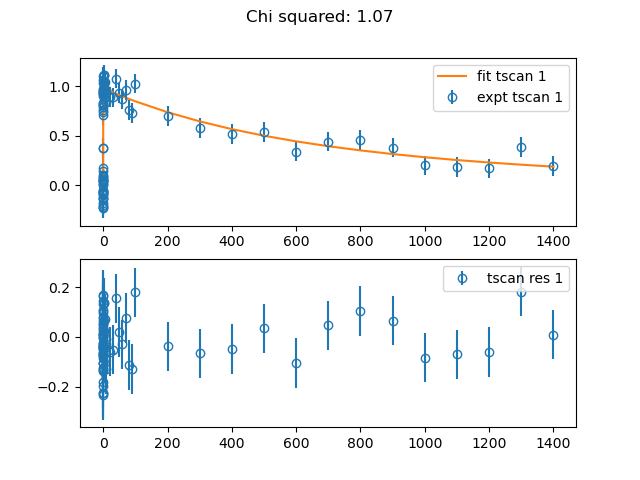
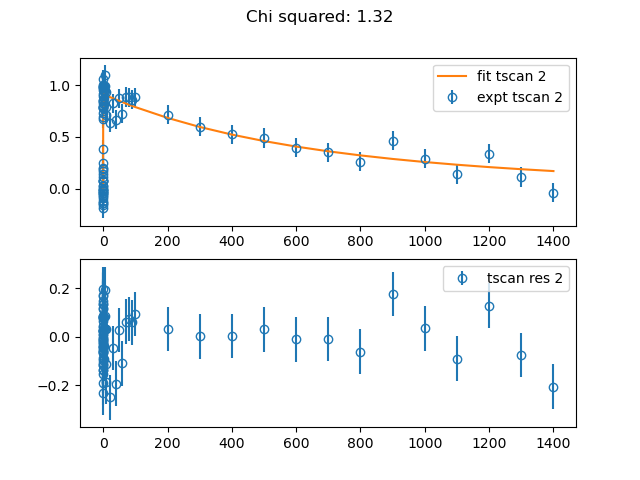
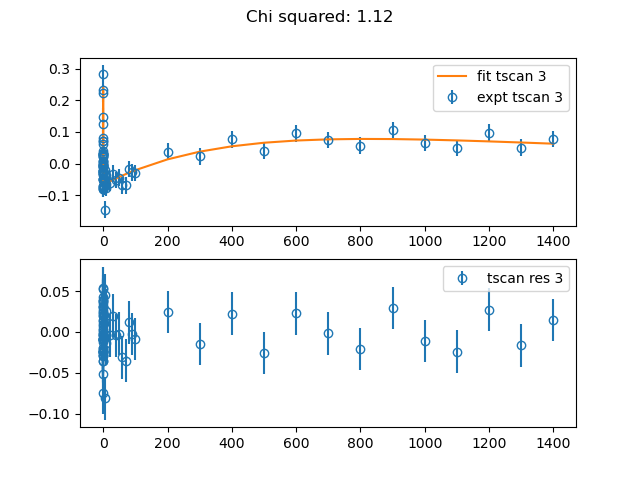
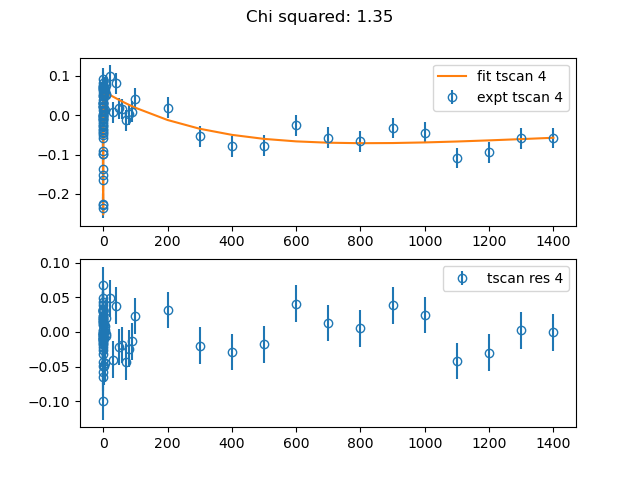
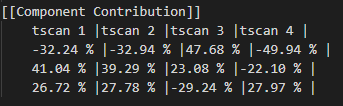
In the component contribution section in the fitting result report, you can find contribution of each component in each time delay scan.
Close all fitting result plot windows then
example_c.txt,example_fit.txt,example_fit_report.txtandexample_res_i.txtfiles will be generated.
example_c.txt contains coefficient of each component in each time delay scan
example_fit.txt contains fitting curve of time delay scan
example_fit_report.txt contains fitting result report.
example_res_i.txt contains residual of time delay scan (data-fit)